

Cursor Vibe Coding Tutorial | Build dynamic website with Cursor AI
Learn how to build, test, and iterate real web app prototypes using Vibe Coding techniques and Cursor — a practical course for designers, product builders, makers, and curious developers who want to ship working prototypes fast.
About This Course
Learn how to build, test, and iterate real web app prototypes using Vibe Coding techniques and Cursor — a practical course for designers, product builders, makers, and curious developers who want to ship working prototypes fast.
Course Curriculum

Cursor Vibe Coding Tutorial | Understanding the web | Wit Reach
Learn the complete fundamentals of website development in this first episode of...

Requirement for Vibe Code | Vibe Code with Cursor AI Code Editor | Wit Reach
Welcome to Vibe Code Season 1 Episode 2! Before diving into coding, every Vibe C...

Local Server with XAMPP | Vibe Code with Cursor AI Code Editor | Wit Reach
In this episode of Vibe Code (S1E3), learn how to start your local server using...

How can I use AI tools to download PHP Laravel? | Vibe Code with Cursor AI Code Editor | Wit Reach
Welcome back to Vibe Code! In this episode, we move from setup to action — you w...
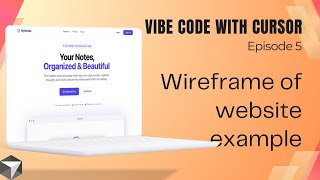
How do I create a wireframe for my webiste | Vibe Code with Cursor AI Code Editor | Wit Reach
Learn how to create a website wireframe before building it in Cursor AI! This be...

Building a Notes App with Cursor AI & TinyMCE | Complete Tutorial Using ChatGPT Prompts | Wit Reach
🚀 Build Your Own Notes Making App with Cursor AI! In this comprehensive tutoria...

How to Fix TinyMCE Not Loading in Next.js? Debugging with Cursor AI & Claude Sonnet 4.5 | Wit Reach
How to Fix TinyMCE Not Loading in Next.js? Debugging with Cursor AI & Claude Son...

Build a Complete SaaS Landing Page in Minutes with Cursor AI | MyNotes App Tutorial | Wit Reach
Transform your web app from basic to beautiful in minutes! In this Cursor AI tut...

Creating Beautiful Landing Pages with Cursor AI & Claude Part 2 | Wit Reach
In this video, we continue building our web application by implementing comprehe...
![How to Buy Domain and Hosting from Hostinger [Complete Tutorial 2026] | Wit Reach](https://i.ytimg.com/vi/S6NAE-lB3Io/mqdefault.jpg)
How to Buy Domain and Hosting from Hostinger [Complete Tutorial 2026] | Wit Reach
Learn how to buy a domain and hosting from Hostinger with this complete step-by-...

How to Host a Website on Hostinger & Connect to MySQL Database | Step-by-Step Tutorial | Wit Reach
Learn how to host your website on Hostinger server and connect it to a MySQL dat...
11 videos in this course
Pre-requirements
- Basic: Comfortable with using a terminal and installing apps
- Helpful: Basic HTML/CSS and JavaScript concepts (not strictly required)
- Mindset: Ability to iterate, test, and evaluate behavior
Tools Required
- Cursor (desktop app / account)
- GitHub account (for code snapshots)
- Browser (Chrome/Edge/Firefox)
- Hosting (Netlify, Vercel, or GitHub Pages — free tiers)
- Optional: Node.js & npm (for local dev)
Learning Outcomes
By the end of this course, you will be able to:
Who Is This Course For?
This course is perfect for:
Important Note
Not recommended for projects that must pass strict security or audit requirements (production finance, healthcare, critical infrastructure) without human review.
